
How to Choose WiFi Captive Portal Software
In Brief: Choosing WiFi captive portal software requires more than comparing login page designs. Businesses should evaluate authentication options, access policies, branding, security, analytics, integrations, hardware compatibility, centralized management, and the platform’s ability to scale across multiple locations.
A guest connects to your WiFi, sees a login page, enters an email, accepts your terms, and gets online in seconds. That simple flow can either support your operations and revenue goals or create support tickets, security gaps, and a poor first impression. That is why wifi captive portal software is not just a splash page tool. It is a control layer between your network, your guests, and the business outcomes you expect from guest access.
For hotels, restaurants, airports, retail groups, schools, and healthcare environments, the right platform needs to do more than authenticate users. It should help you manage access policies, present your brand consistently, capture customer data with consent, and administer multiple locations without adding network complexity. If the platform cannot scale, integrate, or adapt to different deployment models, it will become a bottleneck fast.
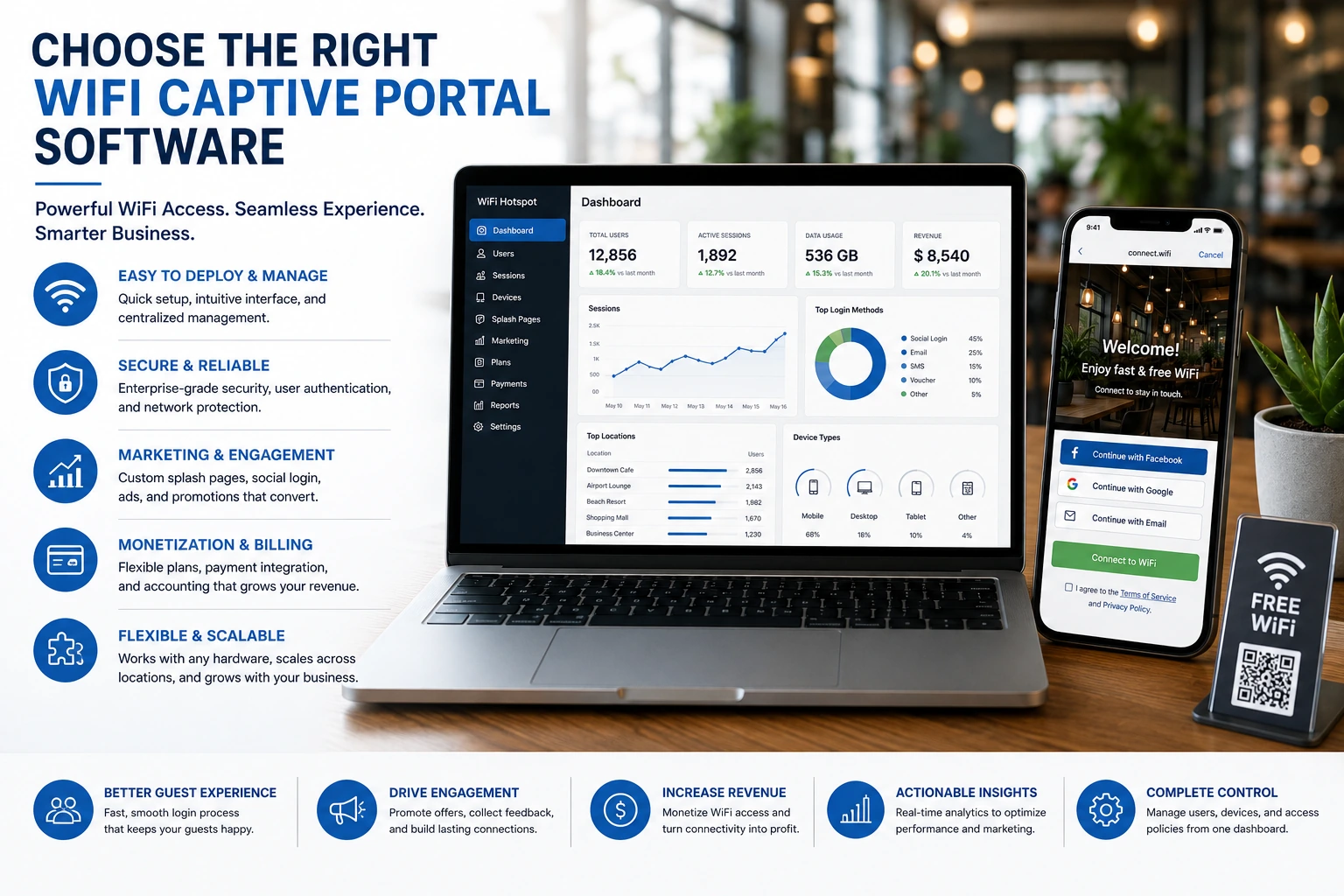
What wifi captive portal software actually does
At its core, wifi captive portal software controls how users access a network before full internet connectivity is granted. Instead of giving open access immediately, the software places a branded or policy-driven checkpoint in front of the connection. That checkpoint can be used for guest login, terms acceptance, payments, vouchers, surveys, social sign-in, or sponsored access.
In practical terms, this software sits at the intersection of access control and customer engagement. IT teams use it to enforce session limits, bandwidth rules, device policies, and authentication methods. Operators use it to shape the guest experience. Marketing teams use it to collect first-party data, present offers, and measure campaign performance. When the platform is well designed, those functions work together rather than competing with each other.
This is where many buyers underestimate the category. Some solutions look fine in a demo because the login page is customizable. But once deployed across several sites, the gaps show up quickly. Reporting is weak, policy management is inconsistent, and integrations are limited. A captive portal should be evaluated as operational infrastructure, not as a one-time front-end feature.
What matters most when evaluating wifi captive portal software
The first question is deployment fit. Some organizations want a fully cloud-managed system because it reduces on-site administration and speeds up rollout across many venues. Others need on-premise control because of internal security standards, data handling rules, or network architecture requirements. In larger enterprises, hybrid models also make sense. If a vendor only supports one approach, that can force compromises elsewhere.
The second issue is hardware compatibility. Many businesses already have access points, gateways, or controllers in place. Replacing all of that to get a captive portal is rarely cost-effective. Software that works across a broad range of networking hardware gives operators more flexibility and protects prior investments. That matters even more for service providers and resellers managing mixed environments.
Authentication options also deserve close scrutiny. A coffee shop may only need click-through access and time-based sessions. A hospital may need role-based access, sponsor approval, and detailed terms acceptance. A hotel may want room-based login, voucher codes, premium paid access, and loyalty enrollment. A university may need directory integration or AAA Radius support. The right choice depends on your users, not on whichever method looks easiest to set up.
Branding is not cosmetic
The captive portal is often the first digital touchpoint a guest sees on your premises. If that experience looks generic or inconsistent, it weakens trust right away. Good wifi captive portal software gives you control over logos, colors, layouts, custom fields, languages, and branded flows by location or by customer segment.
That branding control has operational value. Multi-location businesses can maintain central standards while allowing site-specific campaigns or local terms. Airports can present terminal-specific messaging. Hotel groups can run property-level promotions inside a global brand framework. Retailers can align guest WiFi with seasonal offers without waiting on custom development.
The trade-off is that flexibility should not come at the cost of usability. Some platforms allow extensive design changes but make routine updates cumbersome. Others are easy to edit but too limited for serious brand control. The best platforms balance both.
Monetization and marketing should be built in
Many venues do not want guest WiFi to be a pure cost center. They want it to support revenue, increase repeat visits, or create measurable marketing value. That shifts the buying criteria significantly.
If monetization matters, look for payment acceptance, tiered access plans, voucher management, and sponsorship options. Premium bandwidth packages, time-based extensions, and location-specific pricing can all be relevant depending on the venue. In transit hubs, hospitality, and public venues, those features can turn network access into a direct revenue stream.
If marketing value matters more, the software should support customer data capture, surveys, campaign messaging, video advertising, and analytics. Social WiFi and registration forms can help grow permission-based databases, but only if consent settings and reporting are handled properly. A platform that captures data without giving you clean segmentation or campaign insight has limited value.
This is also where decision-makers should look beyond feature checklists. It is easy to claim support for surveys or ads. The real question is whether those functions are actionable in daily operations. Can staff launch campaigns without technical help? Can you report by venue, campaign, or access method? Can you compare locations and identify which offers actually convert?
Security and compliance cannot be an afterthought
Guest access is public-facing by design, which means it creates risk if not managed correctly. The software should support strong access controls, session policies, user isolation where appropriate, logging, and integration with your broader network management framework. In enterprise and regulated environments, auditability matters just as much as convenience.
Compliance requirements vary by industry and geography, so there is no universal checklist. A healthcare operator will have different concerns than a stadium or cafe chain. That is why configurable terms of service, consent collection, data retention settings, and authentication policies are more valuable than rigid defaults.
It also helps to think about abuse scenarios. What happens if a device exceeds limits, a user attempts repeated logins, or a site loses connectivity to a central service? Resilience matters. Captive portal software should not create a single point of failure for guest access.
Centralized management is where scale is won or lost
Single-site buyers often focus on the front-end portal. Multi-site operators know the real test is administration. Can one team control policies, content, user flows, and reporting across dozens or hundreds of locations without excessive manual effort?
The answer should include centralized dashboards, policy templates, role-based admin access, location grouping, remote updates, and aggregated analytics. Without those capabilities, growth adds complexity instead of efficiency. Franchises, MSPs, and enterprise groups especially need white-label or delegated management options so they can support multiple brands or client environments from one system.
This is the point where platforms separate. Some are acceptable for one venue but become difficult at regional or national scale. Others are designed from the start for distributed administration. If your business is expanding, buy for the operating model you expect in two years, not just the one you have today.
The best choice depends on your environment
There is no single best wifi captive portal software for every organization because requirements vary sharply by venue type, technical stack, and commercial goals. A restaurant chain may prioritize speed of deployment, loyalty capture, and coupon delivery. A university may prioritize authentication depth, segmentation, and policy enforcement. A managed service provider may care most about hardware compatibility, white-label support, and centralized control.
That is why evaluation should start with business outcomes. Decide whether your priority is secure guest access, brand consistency, monetization, customer data capture, or multi-site administration. Then test whether the platform can support those goals in your actual network environment.
Start Hotspot is relevant here because the market increasingly expects one platform to support access control, branding, monetization, analytics, and flexible deployment together. That integrated model reduces tool sprawl and gives both IT and commercial teams a system they can use.
The strongest buying decision is usually the one that treats guest WiFi as part of your operating strategy, not just as an internet amenity. When captive portal software is chosen with that mindset, every login becomes a controlled, measurable business interaction.
Frequently Asked Questions
What authentication methods should captive portal software support?
Useful options can include click-through access, registration forms, vouchers, SMS, social login, user accounts, room-based authentication, RADIUS, and paid access.
Does captive portal software need to match my access point brand?
Not always. Some solutions are tied to proprietary hardware, while others support compatible routers, controllers, and access points from multiple vendors.
Can captive portal software manage multiple locations?
Yes. For distributed businesses, centralized templates, policies, user management, reporting, and location-specific portal content are important selection criteria.
Prefer Antamedia on Google
Get practical guest WiFi and network management insights directly from Antamedia.