
In Brief
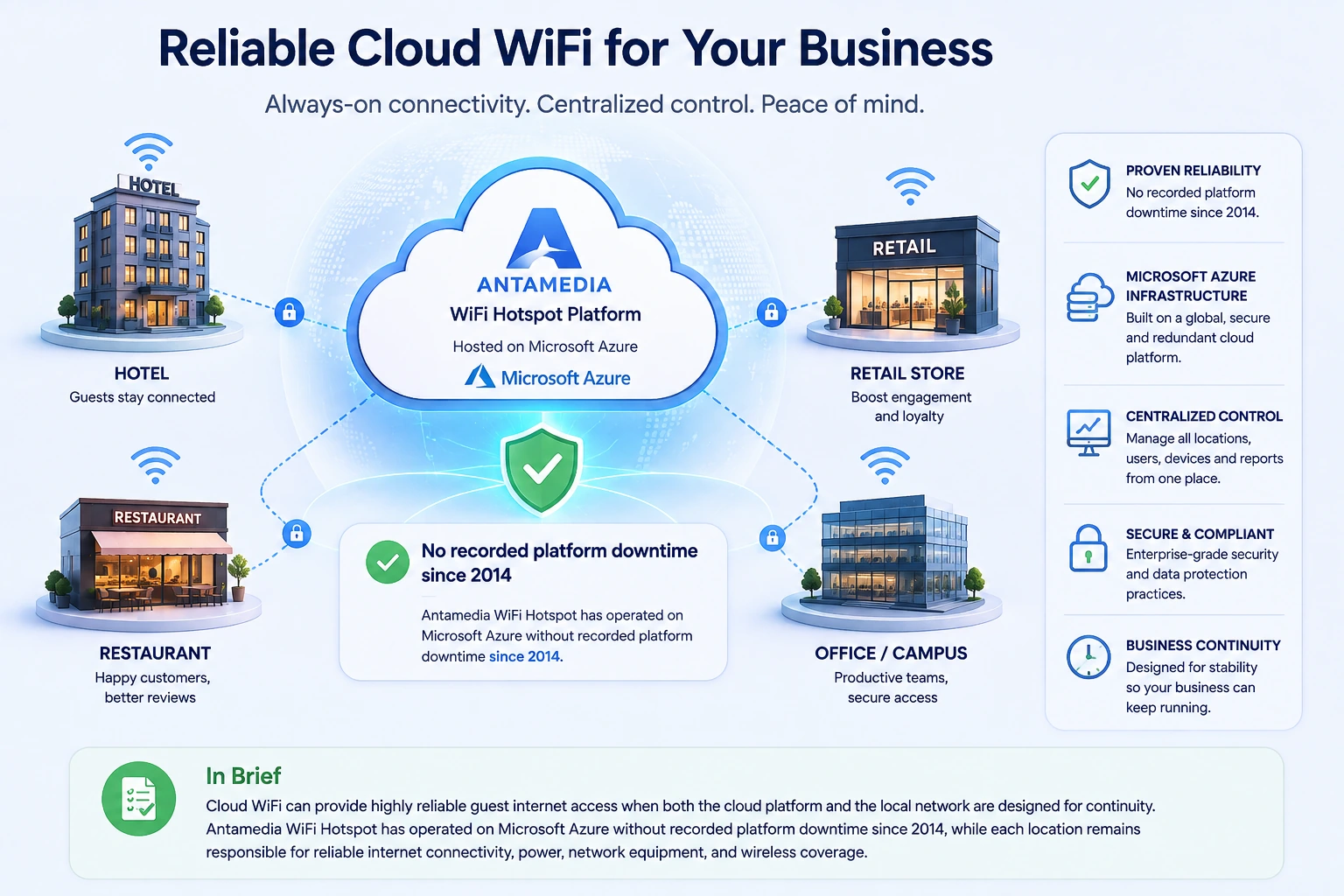
Cloud WiFi can provide highly reliable guest internet access when the cloud platform and the local network are both designed for continuity. Antamedia WiFi Hotspot has operated on Microsoft Azure without recorded platform downtime since 2014, while end-to-end availability still depends on each location’s internet connection, power, router, access points, and network configuration.
How Reliable Is Cloud WiFi for My Business?
In brief: Cloud WiFi can provide highly reliable guest internet access when both the cloud platform and the local network are designed for continuity. Antamedia WiFi Hotspot has operated on Microsoft Azure without recorded platform downtime since 2014, while each location remains responsible for reliable internet connectivity, power, network equipment, and wireless coverage.
For a hotel, restaurant, retail group, hospital, campus, airport, or managed service provider, WiFi availability directly affects customers and daily operations. Guests expect the login page to open immediately, authentication to complete within seconds, and their internet session to remain stable throughout their visit.
Cloud-managed WiFi removes the need to operate the central management platform from a server at every location. Administrators can manage users, devices, splash pages, access policies, reports, and multiple WiFi locations from one centralized system.
However, cloud hosting is only one part of end-to-end WiFi reliability. A reliable cloud platform cannot compensate for a disconnected ISP line, failed router, power outage, incorrectly configured firewall, overloaded access point, or poor wireless coverage at the customer’s location.
Understanding these separate layers helps businesses evaluate cloud WiFi uptime realistically and build a service that remains dependable during normal operation, peak periods, and local infrastructure problems.
What Does Cloud WiFi Reliability Actually Mean?
Cloud WiFi reliability is the ability of the complete service to remain available and perform consistently when guests attempt to connect.
This includes more than whether the administration portal opens. A complete guest WiFi connection normally depends on several processes working together:
The device connects to the correct wireless network.
The access point and gateway assign network access.
The guest is redirected to the captive portal.
The cloud platform receives the authentication request.
The user account, voucher, room number, social login, or other access method is validated.
The gateway receives authorization and allows internet access.
The session remains active under the configured time, speed, bandwidth, and device limits.
A failure at any point can appear to the guest as “the WiFi is down,” even when the cloud platform itself is fully operational.
For that reason, a business should measure reliability across the complete connection path rather than looking only at the hosting provider’s general uptime percentage.
Antamedia Cloud Uptime Since 2014
Antamedia WiFi Hotspot has been hosted on Microsoft Azure since 2014.
During that period, Antamedia has not recorded downtime of the cloud platform. This operational history provides businesses with a proven indication of long-term platform stability rather than a reliability claim based only on theoretical infrastructure capabilities.
The uptime record refers specifically to the availability of the Antamedia cloud service. It does not mean that every connected WiFi location has remained continuously online since 2014.
Individual locations can still experience interruptions caused by:
Local ISP outages
Router or gateway failures
Power loss
Access point or controller problems
DNS or firewall configuration
Closed or incorrectly forwarded RADIUS ports
Captive portal configuration errors
Poor WiFi signal or radio interference
Insufficient capacity during peak usage
Separating cloud platform uptime from local network availability makes troubleshooting faster and provides a more accurate view of service reliability.
Why Microsoft Azure Matters for Reliability
Antamedia WiFi Hotspot operates on Microsoft Azure infrastructure, which is designed for business applications that require availability, scalability, data protection, and disaster-recovery options.
Microsoft Azure provides infrastructure capabilities such as redundant resources, availability zones, data replication, monitoring, backups, and recovery services. Availability zones are physically separated datacenter groups with independent power, cooling, and networking infrastructure, helping properly designed applications reduce dependency on a single datacenter location.
The practical benefit for Antamedia customers is that the central WiFi management system does not depend on a physical server located inside a hotel, restaurant, office, or other customer site.
A local hardware failure therefore does not affect the availability of the central platform for every other location. Administrators at other sites can continue accessing the system, managing users, reviewing analytics, and changing WiFi policies.
Official Antamedia product documentation also describes the WiFi Hotspot platform as operating on Microsoft Azure servers with high availability.
Does Cloud Hosting Guarantee 100% Uptime?
No responsible cloud or WiFi provider should describe an entire end-to-end WiFi service as completely immune to interruption.
Cloud infrastructure can significantly reduce the risk associated with local server hardware, but every system still depends on multiple services, configurations, networks, and physical devices.
It is also important to distinguish three different reliability statements:
Historical uptime
Historical uptime describes how the platform has performed in practice. Antamedia has not recorded cloud platform downtime since moving the system to Microsoft Azure in 2014.
Infrastructure SLA
An infrastructure SLA is provided by the underlying cloud provider and applies to specific services and technical configurations. Different Azure resources and deployment architectures can have different SLA conditions.
Customer service SLA
A customer service SLA defines what the WiFi platform provider commits to deliver. It may specify how availability is measured, which services are included, planned maintenance exclusions, incident response times, support escalation, and possible service credits.
Historical uptime is valuable evidence of platform reliability, but it should not be presented as an unconditional promise that no future technical incident can ever occur.
For larger or business-critical deployments, the exact availability commitment should be confirmed in the applicable service agreement.
The Four Layers of Business WiFi Reliability
A reliable guest WiFi service depends on four main layers. Understanding them helps a business identify where redundancy is required and who is responsible when a problem occurs.
1. Cloud platform availability
The cloud platform hosts central functions such as the captive portal, user authentication, account management, access policies, device records, administration, analytics, and reports.
Antamedia reduces dependency on customer-operated servers by hosting the WiFi Hotspot platform on Microsoft Azure.
2. Internet connection at each location
The local router must be able to reach the cloud platform and RADIUS service.
When the ISP connection is unavailable, guests may still see the WiFi network name, but they cannot reach the internet or complete a new cloud-based login. This is a local connectivity problem rather than cloud platform downtime.
Businesses that require higher availability should consider two internet connections from independent providers, automatic WAN failover, or a cellular backup connection.
3. Local network equipment and configuration
The router, firewall, switches, access points, controller, DNS configuration, VLANs, captive portal settings, and RADIUS communication must all be configured correctly.
A firewall rule that blocks authentication traffic can prevent users from logging in even when the cloud service is online. The same applies to an incorrect portal URL, missing walled-garden entry, expired certificate, routing problem, or improperly configured VLAN.
4. Wireless coverage and capacity
A platform can be fully available while guests still experience poor service because the wireless network is overloaded or the signal is weak.
Reliable business WiFi requires:
Sufficient access-point density
Correct access-point placement
Appropriate channel planning
Capacity for peak concurrent users
Controlled bandwidth per device
Modern and supported WiFi hardware
Regular firmware maintenance
Separation of guest and operational networks
Cloud uptime and wireless performance are related to the same guest experience, but they are not the same technical measurement.
What Are the Business Benefits of Reliable Cloud WiFi?
Reliable cloud WiFi affects more than guest satisfaction. It supports business continuity, staff efficiency, customer engagement, reporting, and revenue-generating services.
A consistent guest experience
Guests should not need to understand the technical infrastructure behind the service. They expect the splash page to load quickly, the login method to work, and the internet connection to remain stable.
Consistent access reduces complaints at reception desks, restaurant counters, event entrances, and customer-support channels.
It also protects the reputation of businesses where internet access is part of the expected service, including hotels, serviced apartments, hospitals, coworking spaces, campuses, airports, and conference venues.
Centralized control across multiple locations
A cloud WiFi platform allows administrators to manage separate locations from one interface.
The organization can apply consistent access rules, review device and user activity, update splash pages, create accounts, adjust limits, and compare reports without connecting separately to a server at every site.
This is particularly valuable for:
Hotel groups
Retail chains
Restaurant groups
Healthcare organizations
Universities and campuses
Airports and transport operators
Internet service providers
Managed WiFi providers
Municipal and public WiFi networks
A problem at one location can be investigated without affecting the management of other locations.
Reduced dependence on local servers
A traditional locally hosted system depends on the customer’s server hardware, operating system, database, storage, electricity, cooling, backups, and internal IT procedures.
With Antamedia WiFi Hotspot, the central platform operates in the cloud. The customer does not need to purchase, maintain, patch, monitor, and replace a central authentication server at each location.
The local router and WiFi equipment are still required, but the central management infrastructure is separated from site-specific hardware risks.
Easier remote administration
Authorized administrators can manage the system without being physically present at the WiFi location.
This allows IT teams and managed service providers to respond more quickly when they need to:
Create or modify user accounts
Change access plans
Update splash pages
Review authentication activity
Check connected devices
Adjust session or bandwidth limits
Compare location performance
Investigate login problems
Remote administration reduces travel, shortens response times, and gives a central IT team better visibility across distributed locations.
Better support for business growth
A centralized cloud platform makes it easier to add new locations without building a separate management system for every site.
New routers, gateways, or controllers can be connected to the same central platform, while each location can maintain its own branding, access methods, administrators, policies, and reports.
This gives a business a consistent technical foundation as the number of sites and users increases.
Reliable access to data and reporting
Centralized administration also helps preserve operational visibility.
User records, device data, location activity, access statistics, and reports remain available from one platform rather than being distributed across unrelated local servers.
This makes it easier to compare locations, identify usage trends, manage customer accounts, and maintain consistent operating procedures.
What Happens If the Local Internet Connection Fails?
When the local internet connection fails, the WiFi signal may remain visible because the access points are still powered and operating. However, users will not have internet access and may not be able to reach the cloud captive portal or complete a new authentication request.
The exact behavior of existing authenticated sessions depends on the gateway, controller, session configuration, and type of network failure.
Some devices may retain local session information temporarily. Other configurations may require the gateway to communicate with the RADIUS service before continuing access.
A cloud platform cannot restore a failed local ISP connection. Businesses that consider internet access operationally critical should provide local connectivity redundancy.
Recommended options include:
A secondary wired ISP
4G or 5G backup connectivity
Automatic WAN failover
Dual routers where required
Backup power for the router, switches, and access points
Monitoring of both primary and backup connections
The backup connection should be tested periodically. A connection that has never been tested should not be treated as a reliable failover system.
How Can I Improve End-to-End WiFi Uptime?
The strongest results come from combining a reliable cloud platform with a resilient local network.
Use two independent internet connections
For business-critical locations, use two internet connections where possible. The backup should ideally come from a different provider and use a different physical access technology.
Two services that depend on the same upstream cable route may fail at the same time.
Configure automatic failover
The router should automatically detect loss of the primary connection and move traffic to the backup connection.
Failover should include all services required by the WiFi platform, including DNS, portal access, HTTPS communication, and RADIUS authentication.
Protect network equipment from power loss
A short power interruption can restart the router, switches, access points, and controller even when the cloud platform remains online.
Use an appropriately sized UPS for critical network equipment. For larger locations, consider generator support and redundant power supplies where the hardware supports them.
Monitor the complete service
Monitoring should check more than whether the cloud administration page responds.
A useful monitoring strategy can include:
Internet connection status
Router reachability
RADIUS request and response activity
Captive portal availability
DNS resolution
Access-point health
Authentication failures
Number of connected users
Unusual bandwidth consumption
Backup connection status
This helps distinguish platform incidents from local network failures.
Maintain supported hardware and firmware
Outdated routers, access points, controllers, and switches can introduce instability, security vulnerabilities, and compatibility problems.
Firmware upgrades should be planned, tested, and documented. Configuration backups should be created before significant changes.
Design for peak demand
A network that works well with 20 users may become unreliable with 500 simultaneous devices.
Capacity planning should consider:
Maximum concurrent users
Expected traffic per user
Number and placement of access points
Available ISP bandwidth
Router processing capacity
Authentication volume
High-demand events and seasonal peaks
Per-user speed and bandwidth limits can prevent one device or a small number of users from consuming the entire available connection.
Keep configuration documented
Document portal URLs, RADIUS addresses and ports, shared secrets, VLANs, IP ranges, DNS settings, walled-garden rules, firewall policies, and administrator access.
Reliable troubleshooting becomes difficult when only one person understands the network configuration.
Is Cloud WiFi More Reliable Than an On-Premise System?
Cloud WiFi often reduces the number of infrastructure components that the customer must maintain.
With an On-Premise deployment, the customer is responsible for the application server, Microsoft SQL Server, operating system, storage, database backups, power, physical security, internet connectivity, monitoring, updates, and disaster recovery.
An On-Premise deployment can still be highly reliable, but this requires appropriate server redundancy, backup procedures, trained administrators, spare hardware, and a tested recovery plan.
A Hybrid deployment can combine cloud and local components to meet specific operational, integration, security, or data requirements. It can provide additional flexibility, but it also introduces more components that must be monitored and maintained.
The most reliable deployment model depends on:
Required level of local autonomy
Number of locations
Internal IT resources
Data residency requirements
Existing infrastructure
Integration requirements
Recovery objectives
Acceptable operational complexity
For most organizations that do not want to maintain their own server infrastructure, a cloud-managed WiFi platform provides the simpler reliability model.
What Should a WiFi Uptime SLA Cover?
An uptime percentage is useful only when the measured service and exclusions are clearly defined.
Before relying on an SLA, confirm whether it covers:
The public captive portal
RADIUS authentication
The administration portal
APIs and integrations
Database availability
Reporting functions
Scheduled maintenance
Emergency maintenance
Monitoring intervals
Incident response time
Support escalation
Service restoration targets
Customer-controlled infrastructure
Third-party ISP or hardware failures
The agreement should also explain how downtime begins and ends, how availability is calculated, and which events are outside the provider’s control.
A cloud platform SLA normally cannot include failures of the customer’s ISP, router, access points, electrical supply, internal cabling, DNS provider, or configuration.
How Should I Evaluate Cloud WiFi Reliability?
Do not evaluate a provider only by reading a headline uptime percentage.
Ask for evidence of operational experience and determine how the complete service will work at your locations.
Important questions include:
How long has the platform been operating in production?
Where is the platform hosted?
What part of the service is included in the uptime measurement?
How are incidents detected and communicated?
Can multiple locations be monitored centrally?
What happens when a local ISP connection fails?
Can the router use automatic WAN failover?
Which network brands and controllers are supported?
How are configuration and database backups handled?
What support is available for authentication and portal issues?
Can the deployment be adapted for Cloud, On-Premise, or Hybrid requirements?
A provider’s historical reliability, infrastructure, technical support, deployment experience, and ability to diagnose local network problems are all relevant to the final decision.
Frequently Asked Questions
Has Antamedia WiFi Hotspot experienced cloud downtime?
Antamedia has not recorded downtime of its cloud platform since the system was moved to Microsoft Azure in 2014. This refers to the availability of the Antamedia platform and does not include ISP, power, router, access-point, or configuration problems at individual customer locations.
Does Microsoft Azure guarantee that my WiFi will always work?
No. Microsoft Azure provides the cloud infrastructure used by the Antamedia platform, but the complete WiFi service also depends on the customer’s internet connection, router, firewall, access points, power, and local configuration.
Can a cloud WiFi system provide 100% uptime?
No provider can responsibly guarantee that every layer of an end-to-end WiFi service will operate without any possible interruption. High availability is achieved by reducing single points of failure and preparing redundancy and recovery procedures.
Why can guests have problems if the cloud platform is online?
The issue may be caused by the local ISP, DNS, firewall, RADIUS communication, router, controller, VLAN configuration, access point, wireless interference, insufficient bandwidth, or poor signal coverage.
Will guests remain connected if the local ISP fails?
The WiFi network name may remain visible, but users will not have internet access. Whether an existing session remains authorized depends on the gateway, controller, and session configuration.
Should my business use two internet connections?
A secondary internet connection is recommended for locations where WiFi availability is operationally or commercially important. Automatic WAN failover should be configured and tested.
Is cloud WiFi suitable for multiple business locations?
Yes. A centralized cloud platform is particularly useful for organizations that need to manage users, devices, access policies, splash pages, and reports across multiple locations.
Is On-Premise WiFi more reliable because it is local?
Not automatically. An On-Premise system avoids dependence on a remote cloud platform, but it introduces responsibility for local servers, databases, backups, power, monitoring, updates, security, and disaster recovery.
Can Antamedia support a Hybrid deployment?
Yes. Antamedia deployments may be configured as Cloud, On-Premise, or Hybrid depending on the customer’s infrastructure, integration, data, and operational requirements.
What is the most important factor in reliable business WiFi?
Reliability comes from the complete architecture. A stable cloud platform must be combined with reliable internet connectivity, properly configured network equipment, backup power, sufficient wireless capacity, and active monitoring.
Build a More Reliable WiFi Service
Antamedia WiFi Hotspot combines centralized cloud management with a Microsoft Azure foundation that has operated without recorded platform downtime since 2014.
To design a reliable deployment, the cloud platform and local infrastructure should be evaluated together. The number of locations, expected concurrent users, internet connections, router and access-point models, backup options, and availability requirements all affect the recommended architecture.
CTA Button: Discuss Your WiFi Reliability Requirements