
How to Collect WiFi Leads From Guest Access
In Brief
WiFi lead generation turns guest internet access into a permission-based customer acquisition channel by collecting useful contact information through a branded captive portal. The greatest value comes after the connection, when consent-based guest data is used for segmented email, SMS or WhatsApp campaigns, return-visit offers, surveys and measurable customer engagement.
A guest who asks for your WiFi is already signaling intent. They have entered your location, chosen to stay long enough to connect, and given you a moment of attention that most marketing channels never receive. Knowing how to collect WiFi leads turns that moment into permission-based customer data you can use for promotions, loyalty efforts, service recovery, and repeat visits.
The method is not simply placing an email field in front of internet access. A high-performing guest WiFi program combines reliable connectivity, a branded captive portal, a clear value exchange, consent controls, and follow-up that reflects why the guest visited. Done well, it supports both IT operations and measurable commercial outcomes.
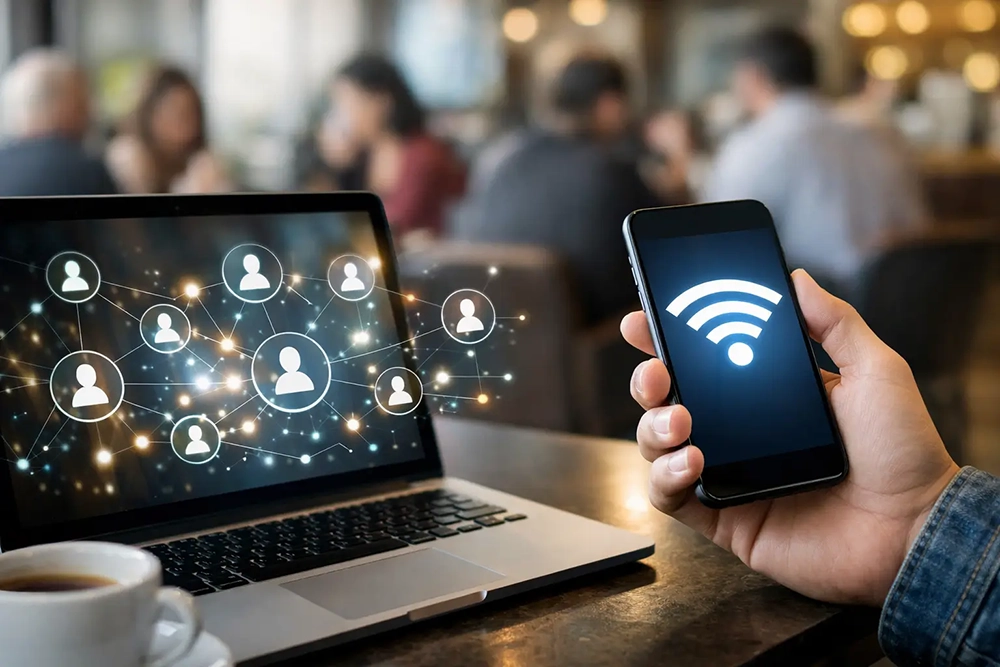
How to collect WiFi leads with a captive portal
A captive portal is the branded login page guests see before accessing your WiFi network. It is the primary tool for collecting guest information without exposing your internal network or adding friction to staff workflows.
Start by separating guest traffic from operational traffic through a dedicated guest SSID and network policy. This protects point-of-sale devices, staff systems, and internal applications while giving administrators control over session length, bandwidth, content policies, and authentication. Lead collection should sit on top of a secure guest access design, not replace it.
Your portal should ask for only the data needed to support a specific business objective. For many venues, an email address and consent checkbox are enough for the first connection. A hotel may also need a room number or booking reference. A retail center may benefit from ZIP code, preferred store category, or language preference. A hospital may need a simple terms acceptance flow that respects the sensitivity of the setting.
Every additional field can reduce completion rates. The right balance depends on foot traffic, visit duration, and the value of a qualified lead. A coffee shop with a line at the counter should favor a fast email or social login. An airport lounge, convention venue, or hotel can reasonably ask for more information because guests expect a more formal access process.
Choose an authentication method that matches the venue
Email registration is the most direct approach for building an owned marketing database. Guests enter an address, agree to your terms and marketing consent where applicable, and receive access immediately or after verification. It works well when your main goal is email campaigns, loyalty enrollment, or post-visit offers.
Social login can reduce typing and may capture profile data permitted by the selected provider and the guest. However, social platforms change their data policies regularly, and not every customer wants to connect a personal account to public WiFi. Use it as an option, not the only route to access.
SMS authentication is useful when phone numbers are central to your engagement strategy, such as appointment reminders, order updates, or time-sensitive retail offers. It creates a higher-friction login than email and requires careful consent language for text messaging. Do not treat a phone number collected for access verification as automatic permission for recurring promotional texts.
Voucher codes, room credentials, employee-issued access, and paid plans also have a place. These methods are particularly useful in hotels, managed properties, transit environments, and premium venues where access rights, billing, or identity verification matter. A flexible WiFi platform lets you present different login methods by location, SSID, user group, or campaign.
Give guests a reason to share their details
Reliable WiFi is itself valuable, but a better value exchange raises data quality and consent rates. The offer must be relevant to the location and easy to understand before the guest enters their information.
A restaurant might offer a welcome reward for a future visit, a chance to join its loyalty program, or early access to seasonal menu announcements. A mall can promote a directory, parking information, event notices, or store-specific deals. Hotels can use the portal to highlight late checkout, dining reservations, spa services, or local experiences. The offer should feel like part of the guest experience, not a toll gate.
Use the portal to set expectations precisely. Tell guests what they receive, which details are required for connection, and how marketing permissions work. For example, access terms and promotional opt-in should not be hidden in the same vague checkbox. Clear choices improve compliance and produce a database of people who are more likely to engage.
The landing page after login matters too. Rather than sending guests to a blank browser page, direct them to a branded welcome page with a current offer, venue information, survey, video message, or app download prompt. This is an opportunity to generate another conversion after WiFi access has already been granted.
Build consent and privacy into the WiFi workflow
WiFi lead generation can be highly effective, but it must be managed as a permission-based program. Your captive portal should present terms of use and privacy information appropriate to your jurisdiction and customer base. Marketing consent must be clear, recorded, and separate when required.
For US businesses, email marketing practices should align with applicable anti-spam requirements, including accurate sender information and an easy unsubscribe process. SMS programs have stricter expectations around express written consent, message disclosures, and opt-out handling. Organizations operating internationally may also need to accommodate GDPR, UK GDPR, CCPA/CPRA, and local privacy rules.
From an operational standpoint, retain a record of the consent language shown, the date and time of acceptance, the authentication method, and the location or portal version used. This matters when you manage multiple venues with different brands, offers, or legal requirements. Centralized portal templates and policy controls reduce the chance that one location uses outdated language or an unapproved campaign.
Avoid collecting sensitive information unless there is a documented operational need and appropriate protection in place. Guest WiFi data is valuable because it helps you understand engagement. It does not justify asking for everything you could possibly request.
Connect WiFi leads to your marketing operations
Collecting contacts is only the first step. A spreadsheet exported once a quarter will not produce the same value as a lead flow connected to your CRM, email platform, loyalty system, or marketing automation process.
Pass useful data fields into the systems your commercial teams already use. At minimum, capture the date of visit, venue location, authentication source, opt-in status, and campaign or portal version. These details allow marketers to distinguish a new guest from a repeat visitor and help multi-location operators see which sites are producing the strongest acquisition results.
Create follow-up rules that match the visit. A first-time café visitor might receive a welcome email with a return offer the next day. A hotel guest could receive a service message during their stay and a review request after checkout. A shopper who connected during a weekend event may be a fit for future event announcements rather than a daily promotional email.
A restaurant can display the daily special to guests connecting during lunch hours, then follow up with a return offer after the visit. If the guest does not return within 30 days, an automated win-back campaign can be triggered through email, SMS or WhatsApp.
Speed matters, but relevance matters more. Sending an immediate discount to every WiFi user can train customers to ignore your messages. Use visit frequency, location, time of day, and declared preferences to make campaigns more useful. If your platform supports surveys, ask one short question after connection or at the end of a session to improve segmentation without burdening the login process.
Turn WiFi Leads Into Returning Customers
Collecting a WiFi lead is only the first step. The real value comes from using consent-based guest data to continue the relationship after the visitor leaves the location and encourage another visit.
Antamedia can use guest activity, location, customer profile and marketing permissions to create automated follow-up campaigns through email, SMS or WhatsApp.
For example, a restaurant can automatically send a thank-you message after a visit, promote a special offer several days later, or trigger a win-back campaign when a guest has not returned for 30 days.
Campaigns can be adapted to different customer segments and behaviors, such as:
First-time visitors
Returning customers
Guests who have not returned within a selected period
Visitors to a specific location
Customers interested in particular services
Guests who responded to a previous promotion or survey
The same approach can be used by hotels, cafés, retail stores, salons, gyms and other businesses to promote reservations, events, loyalty rewards, new services or limited-time offers.
Because WiFi activity can identify when known guests return under the configured account and device-recognition rules, businesses can also compare campaigns and see which customer groups are coming back.
This turns guest WiFi from a one-time lead collection tool into an automated customer-retention channel: collect the lead, segment the audience, send the right offer, encourage a return visit and measure the result.
Measure quality, not just contact volume
The number of WiFi registrations is a useful starting metric, but it does not tell you whether the program is creating commercial value. Track portal views, login completion rate, marketing opt-in rate, verified email rate, repeat connections, campaign engagement, offer redemption, and revenue attributed to WiFi-generated audiences.
Also review network metrics alongside marketing performance. Slow connections, poor coverage, or frequent login failures can reduce registrations and damage the customer experience before an offer is ever seen. IT teams should monitor access point capacity, session reliability, bandwidth policies, and authentication errors. Marketing teams should monitor message performance and conversion. A centralized dashboard gives both groups a shared view of results.
Test one variable at a time. Try a shorter form, a different value proposition, an alternate welcome image, or a revised opt-in statement. Compare results by location because a portal that works in a business hotel may underperform in a quick-service restaurant. The goal is not the highest possible form-fill rate. It is the best combination of access quality, valid consent, lead quality, and downstream revenue.
Scale the program without losing local control
Multi-location organizations need consistency, but every venue does not need the same portal. Create standardized templates for legal language, branding rules, and data fields, then let local operators select approved offers and content. This approach protects the brand while allowing a restaurant, hotel, retail site, or transit venue to speak to its own guests.
Antamedia WiFi Hotspot supports this model by combining captive portal management, guest access controls, marketing automation, analytics, surveys and centralized administration in one platform.
The strongest WiFi lead programs do not make guests feel like data sources. They make access easy, make the exchange worthwhile, and use the information collected to deliver a better reason to return.
Prefer Antamedia on Google
Get practical guest WiFi and network management insights directly from Antamedia.