
How to Segment Hospital Visitor Networks
In Brief
Hospital visitor networks should be isolated from clinical, administrative, and medical-device systems through clear network segmentation, firewall policies, and controlled guest access. Centralized management, bandwidth controls, and regular testing help keep visitor WiFi reliable without creating unnecessary risk to hospital operations.
A visitor trying to join WiFi from a maternity waiting room should never share the same network path as a medication-dispensing system, an imaging workstation, or a nurse call platform. To segment hospital visitor networks effectively, hospitals need more than a separate WiFi name. They need defined trust boundaries, access policies, bandwidth controls, and centralized visibility that protect care delivery without making guest access difficult.
For healthcare IT teams, visitor WiFi is a service expectation. For security and operations leaders, it is also an unmanaged-device environment that can grow quickly during visiting hours, outpatient appointments, and emergency events. The right segmentation model turns that environment into a controlled service rather than an avoidable risk.
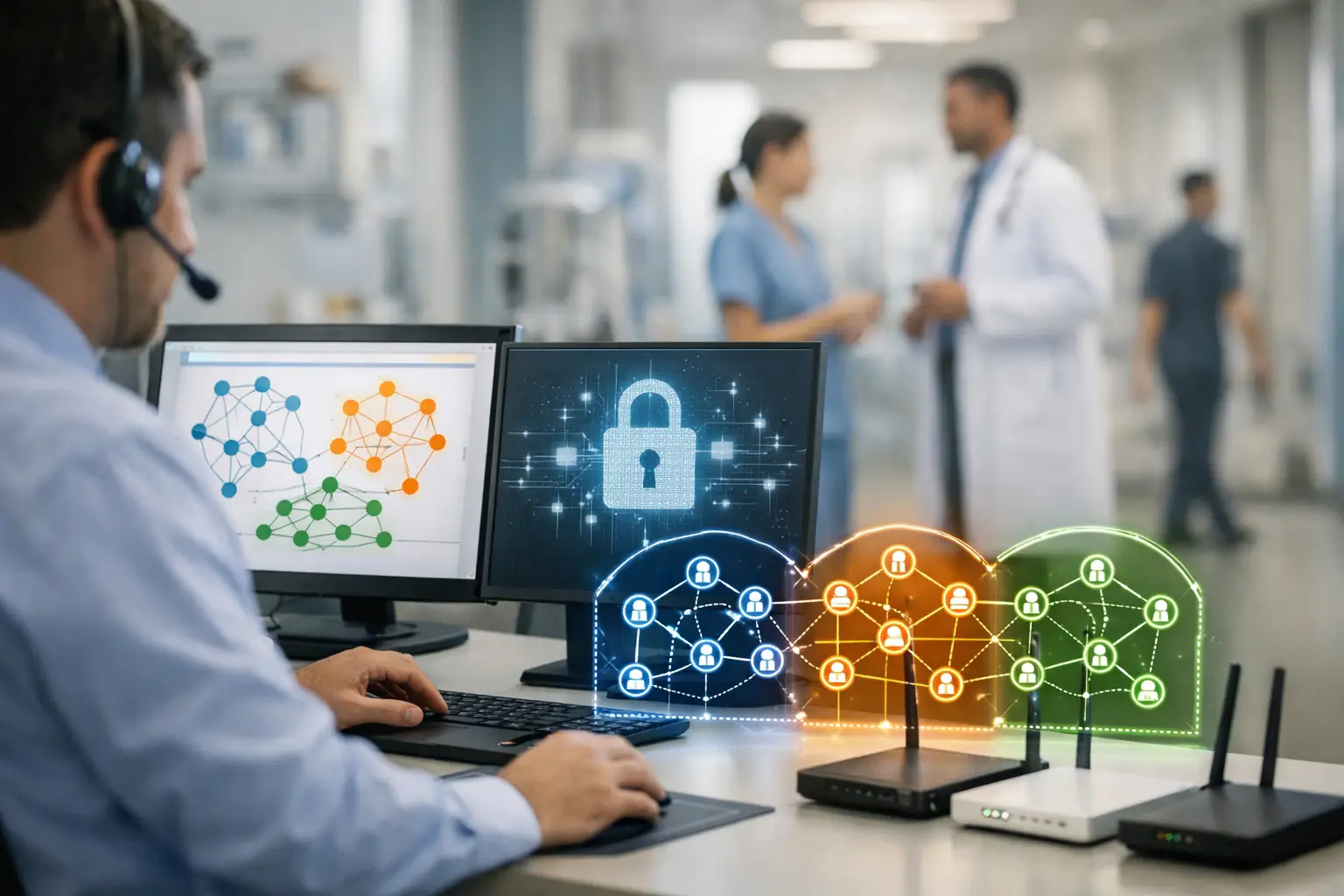
Why hospital visitor WiFi needs its own security boundary
Hospitals support a mix of users and devices with very different access requirements. Clinical staff need reliable access to approved applications. Biomedical and IoT devices may require tightly controlled communication paths. Contractors need limited operational access. Patients and visitors typically need internet access only.
Putting these groups on a flat network creates unnecessary exposure. An infected personal device, an unauthorized file-sharing application, or excessive streaming traffic should not have an opportunity to affect systems supporting patient care. Even when the visitor SSID has a password, a shared wireless network without effective segmentation can create an overly broad trust zone.
A dedicated visitor network reduces that exposure through network isolation, separating guest traffic from internal systems at the wireless, network, and policy layers. It also creates a clearer operational model: guest devices receive the access they need, while clinical and administrative environments remain isolated.
Segmentation is not a substitute for an overall healthcare security program, endpoint controls, or compliance governance. It is one essential control within a layered approach. The design should be reviewed against the hospital's security policies, risk assessments, and applicable regulatory obligations.
Start with user groups, not VLAN numbers
A common mistake is beginning with technical labels such as VLAN 20 or subnet 10.10.20.0/24. Those details matter, but they should follow a clear access model. First define who uses the network, what they need to reach, and how much risk each group represents.
In most hospital environments, this leads to distinct categories for clinical staff, administrative staff, managed medical devices, building and operational technology, contractors, patients, and visitors. Visitor access should remain separate from patient access where the hospital wants different terms, bandwidth allowances, content policies, or engagement workflows. A patient staying for several days has different needs from a family member connecting for 30 minutes in a lobby.
The visitor segment should default to internet-only access. Well-defined guest network firewall rules should explicitly deny access to internal RFC 1918 address ranges, clinical applications, management interfaces, printers, and device networks unless a documented exception is required. The key principle is simple: do not rely on an implied boundary. Enforce it with routing, firewall, and wireless policy rules.
Use separate SSIDs only when they improve operations
A separate visitor SSID is usually the clearest way to communicate the service and apply its policies. It can direct guests to a branded captive portal, place devices in the correct VLAN or role, and keep support conversations simple.
However, more SSIDs are not always better. Excessive SSID broadcasting consumes wireless airtime and can complicate device management in large facilities. A hospital may use a small number of well-designed SSIDs combined with role-based assignment, dynamic VLANs, or policy enforcement. The correct approach depends on wireless controller capabilities, building density, and the variety of user populations being served.
Build a visitor access flow that is secure and usable
A secure guest network that is difficult to join will generate front-desk calls, frustrate families, and encourage staff to share internal credentials. The access experience should be simple while still giving the organization control over who connects and for how long.
A captive portal provides this control point. Before granting internet access, the portal can display acceptable-use terms, collect required consent, issue access vouchers, validate a sponsor code, or support self-service registration. Hospitals should collect only the information they can justify and protect. A guest WiFi portal is not a reason to request unnecessary personal data.
Portal authentication can provide controlled visitor access without requiring guests to connect to internal identity systems.
Session policies can further limit exposure and improve capacity planning. For example, a facility may set reasonable idle timeouts, require guests to reconnect after a defined period, and limit the number of devices per registration. These controls help prevent abandoned sessions from consuming resources while giving legitimate visitors reliable access.
For pediatric areas, behavioral health units, or other sensitive departments, the hospital may need a different guest policy. That could mean restricted access hours, a local voucher process, or no guest WiFi in a particular area. Network policy should support clinical and safety requirements rather than impose one identical model across every building.
Apply bandwidth and content policies without harming care
Visitor traffic can be substantial. Video calls, streaming, gaming, social media, and software updates can consume capacity quickly, especially in waiting rooms and patient floors. If guest traffic competes directly with clinical applications, the issue becomes operational, not merely inconvenient.
Use traffic shaping and quality-of-service policies to reserve capacity for clinical and operational services. Visitor networks can receive a defined aggregate bandwidth allocation, per-device limits, and fair-use controls that prevent a small number of devices from dominating available capacity. The goal is not to make visitor WiFi unusable. It is to ensure guest demand cannot degrade applications that support patient care.
Content filtering also requires judgment. Hospitals often block known malware destinations, illegal activity, and categories that create clear organizational risk. Overly restrictive filtering, however, can interfere with legitimate patient and family use, including communication, education, and remote work. A policy designed for a school or corporate office may not fit a hospital setting.
Centralize visibility across the hospital estate
One hospital campus can include clinics, parking areas, outpatient buildings, cafeterias, specialty departments, and satellite locations. Without centralized management, guest WiFi policies drift over time. One location may use an old shared password, another may have no bandwidth policy, and a third may retain inactive access rules.
A centralized hotspot management platform helps IT teams apply consistent SSIDs, captive portal experiences, access policies, and reporting across locations. Administrators can monitor connected devices, session duration, bandwidth consumption, authentication activity, and access-point performance from a single control plane.
This visibility is particularly valuable during investigations. If a security team identifies suspicious behavior from a guest device, it should be able to locate the session, isolate the device, review available connection records, and confirm that the device had no authorized path to internal systems. Retention periods and logging fields should align with the hospital's approved privacy, legal, and security requirements.
Platforms such as Start Hotspot can also support branded captive portals, configurable access methods, centralized administration, analytics, and survey collection. That gives hospital operators the ability to manage guest access as both a security service and a measurable patient-and-visitor experience.
Test segmentation from the guest perspective
A configuration that looks correct on a network diagram can still fail in practice. Testing should include an actual unmanaged device connecting as a visitor, accepting portal terms, receiving an IP address, browsing the internet, and attempting to reach prohibited destinations.
Validate that the device cannot access internal address ranges, wireless management interfaces, printers, file shares, or clinical systems. Confirm that DNS, IPv6, and VPN behavior follow the intended policy. IPv6 is frequently overlooked: blocking IPv4 routes while leaving an unintended IPv6 path available weakens the segmentation model.
Test at busy periods as well. A visitor network should be evaluated when hundreds of devices are present, not only from an empty conference room. Monitor authentication response times, captive portal availability, access-point utilization, roaming performance, and the effect of guest traffic on critical wireless services.
Make visitor WiFi an operational service
The strongest hospital visitor network designs have a named owner, documented policy, and regular review cycle. IT may operate the infrastructure, while security, compliance, facilities, patient experience, and communications teams each influence the final service model.
Review access rules after network changes, facility expansions, new medical-device deployments, and incident findings. Remove temporary exceptions promptly. Train help-desk and front-desk teams on the intended guest connection process so they do not bypass policy to solve an immediate support issue.
A well-segmented visitor network gives families dependable connectivity while protecting the systems clinicians rely on. Treat it as a managed service with clear boundaries, not an open wireless signal in the lobby, and it can improve both hospital resilience and the visitor experience.
Should hospital guest WiFi be on a separate VLAN?
In most deployments, hospital guest traffic should have its own security boundary, whether implemented through a dedicated VLAN, dynamic VLAN assignment, or another role-based segmentation method. The important requirement is that visitor devices cannot reach clinical, administrative, management, or medical-device networks.
Can hospital visitors access the same WiFi as patients?
They can, but separate access policies may be preferable when patients and short-term visitors require different session limits, bandwidth allowances, terms, or authentication methods.
How should hospitals test guest WiFi isolation?
Hospitals should connect an unmanaged device to the visitor network and verify that it can reach the internet but cannot access internal IP ranges, management interfaces, printers, clinical systems, or unintended IPv6 paths.
Prefer Antamedia on Google
Get practical guest WiFi and network management insights directly from Antamedia.