
What Questions Should I Ask Before Choosing a Cloud WiFi Provider?
In Brief
Before choosing a cloud WiFi provider, evaluate the complete service: platform uptime, local network requirements, hardware compatibility, security, data ownership, integrations, support, pricing, and future scalability. The right provider should give clear technical answers, allow you to retain control of your data, work with your infrastructure, and provide a practical migration path if your requirements change.
Choosing a cloud WiFi provider is a long-term operational decision.
The platform may control how guests connect, which data is collected, how bandwidth is allocated, how multiple locations are managed, and how WiFi activity is integrated with marketing, payment, property management, or business systems.
A visually attractive captive portal is important, but it represents only one part of the service.
A complete cloud WiFi platform may also handle:
Guest authentication
AAA and RADIUS communication
User and device management
Internet plans and access limits
Splash pages and login methods
Payments and vouchers
Consent and customer data collection
Analytics and reporting
WiFi marketing
Multiple locations
Administrator roles
Third-party integrations
Data exports and migrations
The wrong choice can result in unexpected hardware replacement, unreliable authentication, limited reporting, hidden fees, restricted access to your own data, or dependence on a proprietary platform that is difficult to replace.
The questions below can help IT teams, business owners, hotel operators, managed service providers, procurement departments, and security teams compare cloud WiFi providers objectively.
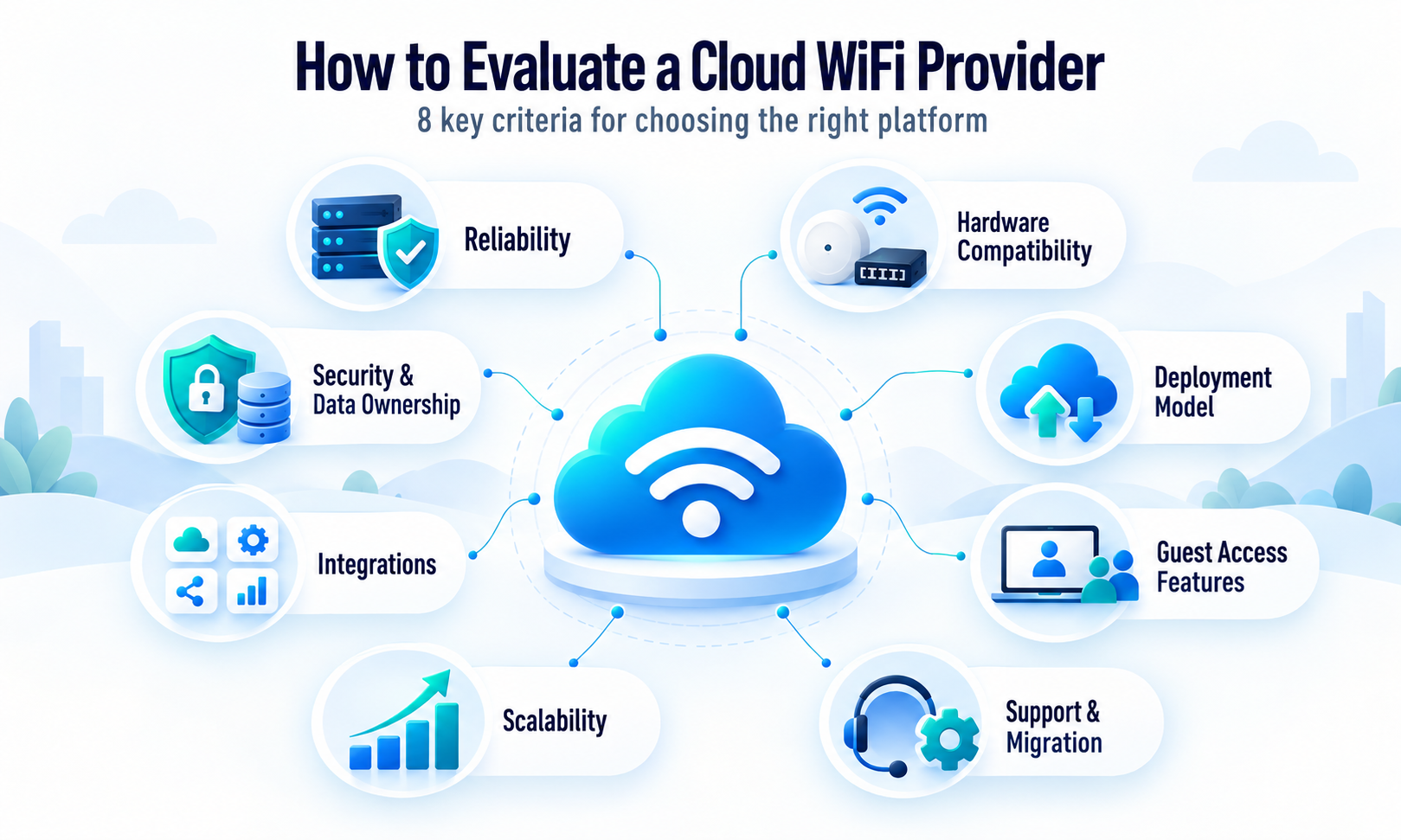
Start by Defining What Your Business Actually Needs
Before contacting providers, define the problem the WiFi platform is expected to solve.
A small restaurant offering free guest access has different requirements from a hotel chain, airport, university, hospital, shopping center, internet service provider, or managed WiFi operator.
Consider the following:
How many locations will use the platform?
How many access points are installed?
How many users may connect simultaneously?
Is the network intended for guests, employees, residents, subscribers, or all of them?
Is free WiFi sufficient, or must the business sell access?
Will users log in through email, vouchers, SMS, social login, room number, or another method?
Does the business need to collect customer data?
Are analytics and marketing campaigns required?
Must WiFi integrate with a PMS, payment gateway, CRM, API, or identity system?
Does the organization require Cloud, On-Premise, or Hybrid deployment?
Are there data residency, regulatory, or internal security requirements?
Is the service business-critical?
What happens financially or operationally if WiFi authentication becomes unavailable?
Once these requirements are documented, provider proposals can be compared against the same criteria.
1. How Reliable Is the Cloud WiFi Platform?
Ask the provider to explain its operational history, hosting environment, monitoring, redundancy, and incident procedures.
A headline such as “highly available” is not enough. The provider should explain what is monitored, how availability is measured, and which parts of the system are included.
Questions to ask include:
Where is the platform hosted?
How long has it been operating in production?
What is its recorded uptime history?
Is the captive portal monitored separately from the administration portal?
Are RADIUS authentication services monitored?
Are databases, APIs, and integrations included in monitoring?
Are redundant systems used?
How are backups handled?
How quickly are incidents detected?
How are customers informed about an incident?
Is a formal service-level agreement available?
Does the SLA include planned maintenance?
Are service credits available if the agreed uptime is not met?
A strong provider should distinguish between platform uptime and local WiFi availability.
The cloud service can remain fully operational while a customer location experiences an ISP outage, power failure, router problem, firewall error, access-point failure, or poor wireless coverage.
What a good answer looks like
The provider describes its hosting architecture, operational history, monitoring process, incident response, backup strategy, and the precise services covered by its availability commitment.
Warning signs
Be cautious when a provider advertises “100% uptime” but cannot explain:
What is measured
How downtime is calculated
Which services are included
Which events are excluded
How customers can verify availability
2. What Happens If My Internet Connection Fails?
Cloud WiFi depends on communication between the local gateway and the remote platform.
Ask what users experience when the local internet connection becomes unavailable.
Important questions include:
Can already authenticated users remain connected?
Can new users complete authentication?
Does the router retain session information locally?
Is a secondary ISP supported?
Can the router automatically fail over to 4G or 5G?
Will RADIUS and portal traffic automatically use the backup connection?
Does the provider assist with failover configuration?
Can the system distinguish between a cloud incident and a local ISP failure?
For business-critical locations, a provider should support an architecture with two independent internet connections and automatic WAN failover.
A WiFi platform cannot restore a failed local ISP connection, but it should work correctly when the local router moves traffic to an available backup connection.
3. Will the Platform Work With My Existing Network Hardware?
Hardware compatibility is one of the most important technical criteria.
Some providers require customers to purchase proprietary access points, gateways, switches, licenses, and controllers. Others support multiple vendors through RADIUS, external captive portals, controller integrations, APIs, or custom firmware.
Ask:
Which router and access-point brands are supported?
Are specific models and firmware versions required?
Does the platform work with the equipment already installed?
Is RADIUS authentication supported?
Does it support external captive portals?
Can it work with existing wireless controllers?
Is a dedicated gateway required?
Can different supported hardware brands be used with the same account?
Can the provider verify compatibility before purchase?
Is configuration documentation available?
Will the provider assist with initial router or controller configuration?
What happens when the hardware vendor releases new firmware?
Is replacing the network hardware required to use the platform?
Antamedia WiFi Hotspot supports multiple RADIUS-capable routers, access points, and controllers, including MikroTik, Ubiquiti UniFi, Aruba, Cisco, Ruckus, TP-Link, Grandstream, and other compatible systems. Exact device models, controller versions, and firmware should still be verified before deployment.
What a good answer looks like
The provider requests the exact hardware models and firmware versions, verifies compatibility, and provides the required configuration parameters before the contract is signed.
Warning signs
Avoid assuming that support for a hardware brand means every model and firmware version is supported.
“Works with Cisco” or “supports TP-Link” is not sufficient without identifying the exact controller, access point, gateway, software version, and integration method.
4. Which Deployment Models Are Available?
Cloud hosting is suitable for many organizations, but it is not the only possible model.
Ask whether the platform is available as:
Shared Cloud
Dedicated Cloud
On-Premise
Customer-hosted virtual machine
Private data center deployment
Hybrid deployment
White-label or reseller platform
Cloud deployment reduces the need to operate the central application infrastructure internally.
On-Premise deployment may be more appropriate when an organization requires direct control over servers, databases, data location, security policies, backups, or internal integrations.
Hybrid deployment can combine cloud and customer-controlled components where operational or integration requirements demand it.
Antamedia provides hosted WiFi Hotspot and Enterprise WiFi System deployment options. Enterprise WiFi System can be installed on customer-controlled Windows servers or virtual machines, allowing direct control over the application infrastructure, branding, capacity, and data location.
Questions to ask include:
Can we move from Cloud to On-Premise later?
Can we use our preferred cloud infrastructure?
Who maintains the operating system and database?
Who manages backups?
Can the database remain inside our network?
Can application and database components be separated?
Is a dedicated environment available?
Can the architecture expand across multiple servers?
Can the deployment be adapted for regional data requirements?
5. Who Owns the Guest and Operational Data?
The provider should clearly confirm that the business retains ownership of its data.
This may include:
User accounts
Guest contact details
Consent records
MAC addresses
Device records
Location data
Authentication records
Session information
Voucher data
Payment references
Surveys
Analytics
Administrator activity
Access policies
Splash page content
Ask:
Who legally owns the collected data?
Can the provider use it for its own marketing or commercial purposes?
Is customer data shared with third parties?
Where is the data stored?
How long is it retained?
Can retention periods be configured?
Can records be deleted on request?
Can individual user records be found and removed?
What happens to the data when the subscription ends?
How long is the data available after cancellation?
Can a complete export be requested?
The contract, privacy documentation, and data processing agreement should provide consistent answers.
Warning signs
Do not rely only on statements made during a sales demonstration. Data ownership, processing roles, retention, deletion, and export rights should be documented contractually.
6. Can I Export and Migrate My Data?
A business should evaluate the exit process before entering a long-term contract.
Ask:
Can user accounts be exported?
Can registered MAC addresses be exported?
Can access plans and account balances be exported?
Can historical session records be exported?
Are reports available only as PDFs, or can raw data be exported?
Is an API available?
What file formats are supported?
Are passwords included in account exports?
Are passwords stored in a transferable format?
Is there a fee for data export?
Can the provider assist with migration?
What happens to the data after the contract ends?
Can the platform import data from another WiFi provider?
Antamedia WiFi Hotspot allows administrators to import user accounts and MAC address records. For more complex On-Premise and Hybrid deployments, Antamedia developers can analyze an external database, adapt its structure, and prepare the required information for migration into Microsoft SQL Server.
What a good answer looks like
The provider explains what can be imported and exported, identifies limitations in advance, and offers a documented migration process.
Warning signs
Vendor lock-in risk is high when:
Data cannot be exported
Only visual reports are available
Exports omit important fields
A proprietary encrypted format is used
Migration costs are not defined
The provider controls the only copy of the database
Data access ends immediately when the subscription is cancelled
7. How Is Guest Data Protected?
Security should be evaluated across the complete architecture, not only the cloud server.
Ask the provider about:
HTTPS protection
Certificates
Administrator authentication
Multi-factor authentication
Administrator roles
Password policies
Database protection
Backup encryption
Access logging
Audit trails
API authentication
RADIUS security
Firewall requirements
Data retention
Vulnerability management
Security updates
Incident response
Employee access to customer data
Third-party subprocessors
Penetration testing
Security documentation
Also ask which security responsibilities remain with the customer.
For example, the provider may secure the application, but the customer or network integrator may still be responsible for:
Guest network isolation
VLAN configuration
Firewall policies
Router administration
Access-point firmware
Secure administrator passwords
Local physical security
ISP redundancy
DNS configuration
Backup power
A reliable provider should not describe cloud hosting as a replacement for proper local network security.
8. Does the Platform Support Privacy and Consent Requirements?
Guest WiFi may collect personal data such as names, email addresses, phone numbers, dates of birth, survey responses, device identifiers, or login history.
Ask:
Can the login page display terms and privacy notices?
Can users actively accept the terms?
Can marketing consent be separated from WiFi access?
Are consent date and time recorded?
Can users opt in or opt out of communication?
Can consent text be customized by location?
Can required and optional fields be separated?
Can personal data be reviewed, corrected, exported, or deleted?
Can data retention periods be configured?
Can different privacy notices be used in different countries?
Does the platform provide tools that support GDPR and similar requirements?
Antamedia WiFi Hotspot supports branded splash pages, user profiles, terms acceptance, contact permissions, and consent-oriented customer data collection. These tools can support a compliant process, but each business remains responsible for defining its legal basis, privacy notice, retention rules, and permitted use of collected data.
Warning signs
A software feature labelled “GDPR compliant” does not automatically make the customer’s entire WiFi deployment compliant.
Compliance depends on how the organization configures the platform, which data it collects, why it processes that data, how long it retains it, and which third parties receive it.
9. Which Login and Authentication Methods Are Supported?
The login method affects the guest experience, data quality, operating costs, and technical complexity.
Ask whether the provider supports:
Free access
Click-through access
Voucher login
Username and password
Email registration
SMS authentication
One-time passwords
Social login
PMS or room-number login
Paid access
Membership login
Custom form registration
External identity providers
API-based authentication
MAC-based autologin
Device registration
Employee or directory authentication
Also ask:
Can several login methods appear on the same splash page?
Can different locations use different methods?
Can login methods change by time, venue, or user group?
Is SMS charged separately?
Can we choose our own SMS gateway?
Which payment gateways are supported?
Can users authenticate across multiple locations with the same account?
Can accounts be limited to specific locations?
Antamedia splash pages can support free access, vouchers, email login, OTP, social login, PMS login, paid plans, video access, and custom data collection, depending on the selected deployment and configuration.
10. Can the Platform Control User Sessions and Bandwidth?
A captive portal should do more than display a login page.
Ask whether the platform can control:
Download speed
Upload speed
Data quota
Session duration
Account expiration
Number of devices
Simultaneous logins
Daily usage
Access schedules
Allowed locations
Device-based authorization
Automatic login
Inactivity logout
Plan renewal
Account balance
Paid access
Recurring subscriptions
These controls help prevent a small number of users from consuming all available bandwidth and allow different levels of service to be offered to guests, residents, staff, conference attendees, or paying customers.
Antamedia Internet Plans can define download and upload speed, transfer quota, session duration, expiration, access schedules, autologin, multi-device access, fixed-device rules, subscriptions, and allowed WiFi locations.
11. Can We Customize the Captive Portal?
The captive portal is often the first digital interaction between a guest and the business.
Ask:
Can we use our logo, colors, fonts, and background images?
Is the page mobile responsive?
Can different locations use different designs?
Can content change by language?
Can we create several splash pages?
Can we schedule campaigns?
Can the page display videos, surveys, offers, or advertisements?
Can users be redirected after login?
Can different users receive different content?
Can the page run on our own domain?
Can emails and SMS messages use our branding?
Is complete white-labeling available?
Is custom HTML, CSS, or JavaScript supported?
Who owns the created page designs?
Do not evaluate the portal only on a desktop computer. Test it on current Android and iOS devices and with different browser and captive-network-assistant behaviors.
12. What Analytics and Reports Are Available?
“Analytics included” can mean anything from a basic user counter to a detailed location and customer reporting system.
Ask which data is actually available.
Useful reports may include:
Connected users
New and returning guests
Login success and failure
User activity
Session duration
Bandwidth consumption
Device type
Location performance
Loyalty
Demographics
Survey results
Campaign performance
Revenue
Voucher usage
Payment activity
Administrator actions
Access-point or router status
Ask:
Can reports be filtered by location?
Can multiple locations be compared?
Can data be exported?
Are raw records available?
Can reports be scheduled?
Can data be sent through an API?
How long is historical data retained?
Are analytics included in the subscription?
Can different administrator roles see different reports?
Does the system distinguish registered users from devices?
How are randomized MAC addresses handled?
Antamedia WiFi solutions combine access management with location-based analytics, reports, surveys, customer data, payments, and marketing functions from a centralized platform.
13. Which Integrations Are Supported?
A cloud WiFi platform may need to exchange data with other business systems.
Ask about integration with:
Hotel PMS systems
Payment gateways
CRM platforms
Marketing automation
Email delivery services
SMS gateways
WhatsApp messaging
Identity providers
External RADIUS systems
Customer databases
Business intelligence tools
Mobile applications
Access-control systems
Loyalty programs
Webhooks
REST APIs
For every required integration, ask:
Is the integration already available?
Is it included in the subscription?
Which version of the external system is supported?
Who maintains the integration?
Is API documentation available?
Are API usage limits applied?
Does the integration require custom development?
What happens when the third-party system changes its API?
Who provides support when the two systems fail to communicate?
Is a testing environment available?
How long is implementation expected to take?
Is custom integration charged separately?
A provider saying “we have an API” is not sufficient. Ask to review the available endpoints, authentication method, data structure, rate limits, documentation, and support policy.
14. Can the Platform Scale With My Business?
A platform that works for one location may not be suitable for hundreds or thousands of access points.
Ask:
How many locations can one account manage?
How many access points are supported?
How many concurrent users can the architecture handle?
Can capacity be expanded without migration?
Can several servers be used?
Can regional systems share a central database?
Can administrator rights be divided by customer or location?
Can resellers manage their own customers?
Can branding and policies be inherited?
Can users roam between locations?
Can the same account work at multiple sites?
Are there limits on users, records, splash pages, reports, or API calls?
How does the price change as the deployment grows?
The provider should not only state that the system is “scalable.” It should explain how the architecture, licensing, database, RADIUS services, and administration model change as the network expands.
15. How Are Multiple Locations and Administrators Managed?
Multi-location guest WiFi management requires more than displaying all access points in one list.
Ask whether the platform supports:
Parent and child accounts
Customer hierarchy
Separate locations
Regional groups
Location-specific branding
Location-specific login methods
Location-specific reports
Shared user accounts
Central policies
Administrator roles
Read-only access
Technical support roles
Billing roles
Marketing roles
Front-desk roles
Audit logs
Administrator permissions should follow the principle of least privilege. A hotel receptionist may need to create guest accounts but should not be able to modify routers, payment settings, or system-wide security options.
16. What Support Is Included?
Support quality becomes particularly important during initial configuration, hardware replacement, ISP changes, firmware upgrades, and authentication incidents.
Ask:
Which support channels are available?
What are the support hours?
Which time zone is used?
Is emergency support available?
Is support provided by the software developer or a reseller?
Is configuration assistance included?
Will the provider review router or controller settings?
Are remote sessions available?
Is there a documented escalation process?
How quickly are critical incidents reviewed?
Is support limited by the selected package?
Are software updates included?
Is training included?
Is there a knowledge base?
Can administrators receive onboarding sessions?
Who supports third-party hardware?
Who supports integrations?
What a good answer looks like
The provider clearly separates:
Application support
Local network support
Hardware-vendor support
Integration support
Custom development
Emergency incident handling
Warning signs
Be cautious when “24/7 support” means only that a form can be submitted at any time, with no defined response or escalation process.
17. What Is Included in the Price?
Cloud WiFi pricing can be based on:
Access points
Locations
Concurrent users
Registered users
Active users
Data volume
Features
Administrator accounts
API usage
Support level
Deployment type
Custom branding
Integrations
Ask for the complete cost rather than only the base subscription.
Confirm whether the price includes:
Platform license
RADIUS service
Captive portal
Splash page editor
User accounts
Analytics
Reports
Marketing tools
Administrator accounts
Software updates
Technical support
Initial configuration
Training
Data storage
Data exports
API access
Custom domain
Email configuration
SMS integration
Payment integration
PMS integration
White-labeling
Hardware licenses
On-Premise installation
Database migration
Additional locations
Backup or disaster recovery services
Also ask:
Is there a setup fee?
Is the contract monthly or yearly?
Does the price increase after the first year?
Are there minimum commitments?
What happens when the licensed limit is exceeded?
Are unused licenses refundable?
Is support renewed separately?
Are custom changes maintained after software updates?
The lowest initial price may not represent the lowest total cost of ownership.
18. Can We Test the Platform Before Committing?
A live test is more valuable than a presentation.
Ask for:
A product demonstration
A test account
A proof of concept
A pilot at one location
Compatibility verification
A test splash page
A test authentication flow
A report demonstration
An API review
A migration test
A security review
A support test
The pilot should use the customer’s actual hardware and network architecture whenever possible.
Test:
Android and iOS devices
Windows and macOS computers
Captive portal detection
Login and logout
Account creation
Autologin
Multiple devices
Bandwidth limits
Session expiration
Failover connectivity
Reports
Administrator roles
Required integrations
A successful demo on the provider’s equipment does not prove compatibility with the customer’s network.
19. How Are Updates and Maintenance Handled?
Ask:
How frequently is the platform updated?
Are updates included?
Is planned maintenance announced?
Can customers delay an update?
Are On-Premise versions updated automatically or manually?
Are database backups created before upgrades?
Is rollback available?
How are security patches prioritized?
Are discontinued features announced?
How long are older versions supported?
Are API changes backward compatible?
Who updates third-party integrations?
Are release notes available?
For On-Premise and Hybrid environments, confirm which team is responsible for:
Windows updates
Microsoft SQL Server
Certificates
Backups
Firewall rules
Application updates
Monitoring
Disaster recovery
20. What Happens If We Decide to Leave?
The exit process should be understood before the platform is adopted.
Ask:
What is the cancellation notice period?
Can data be exported before cancellation?
In which format is it provided?
How long is the account accessible afterward?
When is the data deleted?
Is deletion confirmed?
Can configuration and splash page content be exported?
Can registered devices be transferred?
Is migration support available?
Is there an exit fee?
Must proprietary hardware be replaced?
Can hardware licenses be transferred?
Can the domain and certificates remain under customer control?
A flexible provider should not depend on preventing customers from leaving.
It should retain customers through platform quality, reliability, support, and business value.
Cloud WiFi Provider Red Flags
Treat the following as warning signs during the evaluation:
The provider cannot clearly define platform uptime.
The provider promises unconditional 100% availability.
Exact hardware compatibility is not verified.
Proprietary hardware is mandatory without a clear technical reason.
Data ownership is unclear.
User and device data cannot be exported.
Historical records disappear immediately after cancellation.
The platform has no documented backup or recovery process.
Security questions receive only marketing answers.
Administrator permissions cannot be separated.
Privacy consent cannot be recorded.
API access is advertised but documentation is unavailable.
Integrations are promised before the technical scope is reviewed.
Pricing excludes essential features that appear in the demonstration.
Support responsibilities are unclear.
There is no pilot or test environment.
The provider cannot explain how the system scales.
Migration from another platform is not supported.
The contract makes it difficult to move to another provider.
The provider avoids discussing the exit process.
Cloud WiFi Provider Evaluation Checklist
Use this checklist when comparing proposals.
Business requirements
The required business outcomes are documented.
The number of locations is confirmed.
The number of access points is confirmed.
Expected concurrent users are estimated.
Required login methods are documented.
Required integrations are identified.
Reporting and analytics requirements are defined.
Cloud, On-Premise, or Hybrid requirements are confirmed.
Reliability
Hosting infrastructure is explained.
Historical uptime is provided.
Monitored services are defined.
Incident communication is explained.
SLA terms are available.
Backup and recovery processes are documented.
Local ISP failover is supported.
Hardware
Exact hardware models are verified.
Firmware or controller versions are verified.
Existing equipment can be retained where compatible.
Required firewall and RADIUS settings are documented.
Hardware replacement costs are known.
Future firmware support is explained.
Security and privacy
Data location is confirmed.
Data ownership is contractually defined.
Administrator roles are supported.
Multi-factor authentication requirements are reviewed.
HTTPS and certificate requirements are defined.
Consent records can be stored.
Data retention can be managed.
Data deletion procedures are documented.
A data processing agreement is available where required.
Features
Required login methods are supported.
Session and bandwidth limits are supported.
Splash pages can be customized.
Multiple languages are supported where required.
Location-specific branding is supported.
Reports provide the required detail.
Raw data can be exported.
API capabilities have been reviewed.
Scalability and administration
Platform limits are documented.
Expansion costs are understood.
Multiple locations can be centrally managed.
Administrator permissions can be separated.
Customer or reseller hierarchy is supported where required.
Capacity can be expanded without replacing the platform.
Support and implementation
Initial configuration responsibilities are clear.
Support channels and hours are confirmed.
Escalation procedures are documented.
Training is included or priced.
Integration responsibilities are defined.
A pilot deployment has been completed.
Commercial and exit terms
Total cost of ownership is calculated.
Setup and migration costs are included.
Optional feature costs are documented.
Contract duration is understood.
Cancellation terms are reviewed.
Data export is available.
Data deletion timing is defined.
Future migration is technically possible.
Vendor lock-in risks have been evaluated.
Questions Different Teams Should Ask
Different stakeholders should evaluate the platform from their own perspective.
IT and network teams
IT teams should focus on:
Hardware compatibility
RADIUS communication
Network architecture
Failover
Monitoring
Security
Firmware
Scalability
Support escalation
Deployment responsibilities
Security and legal teams
Security and legal teams should focus on:
Data ownership
Hosting location
Subprocessors
Administrator access
Encryption
Audit records
Consent
Retention
Incident response
Data deletion
Contractual responsibilities
Marketing and customer experience teams
Marketing teams should review:
Splash page design
Customer data fields
Consent
Surveys
Segmentation
Analytics
Campaigns
Email, SMS, and WhatsApp communication
Location-specific content
Data export and integrations
Finance and procurement teams
Finance and procurement should compare:
Base subscription
Setup costs
Hardware requirements
Integration fees
Support costs
Expansion costs
Data storage
API access
Contract duration
Renewal pricing
Migration costs
Exit terms
Operations teams
Operational teams should evaluate:
Ease of account creation
Voucher management
Administrator permissions
Location management
Troubleshooting
Reporting
Staff training
User experience
Support responsiveness
How Antamedia Addresses These Evaluation Criteria
Antamedia WiFi Hotspot provides centralized management of guest access, users, devices, splash pages, Internet plans, payments, analytics, and WiFi marketing.
The platform supports Cloud, On-Premise, and Hybrid requirements, depending on the customer’s infrastructure and operational model.
Important capabilities include:
Microsoft Azure-hosted WiFi Hotspot platform
According to Antamedia's operational records, no cloud platform downtime has been recorded since WiFi Hotspot moved to Microsoft Azure in 2014.
Multi-vendor router, access point, and controller compatibility
AAA and RADIUS authentication
Branded and white-label captive portals
Multiple login and registration methods
User, device, time, speed, and bandwidth controls
Multiple locations and administrator roles
Analytics and reports
Payments and vouchers
Consent-oriented customer data collection
WiFi marketing and customer engagement
PMS and other integration options
Standard import of user accounts and MAC addresses
Custom Microsoft SQL Server database migration for complex deployments
Cloud, On-Premise, and Hybrid architecture options
The exact solution should be selected after reviewing the customer’s existing hardware, network topology, number of locations, expected users, authentication methods, integrations, data requirements, and availability objectives.
Frequently Asked Questions
What is the most important question to ask a cloud WiFi provider?
The most important question is whether the platform can reliably meet your complete operational requirements. This includes uptime, hardware compatibility, security, data ownership, scalability, support, and future migration—not only the appearance of the splash page.
Should I choose the provider with the lowest price?
Not necessarily. Compare the complete cost of hardware, setup, licenses, support, integrations, data storage, upgrades, expansion, migration, and contract renewal. A lower initial subscription can become more expensive when essential capabilities are charged separately.
Should a cloud WiFi provider work with my existing hardware?
Where technically possible, multi-vendor compatibility reduces replacement costs and vendor lock-in. The provider should verify exact hardware models, controllers, firmware, RADIUS support, and captive portal requirements before confirming compatibility.
What should a cloud WiFi SLA include?
An SLA should identify the services covered, measurement method, monitoring interval, planned maintenance, exclusions, response procedures, escalation process, restoration objectives, and any applicable service credits.
Who should own the data collected through guest WiFi?
The business using the platform should retain ownership and control of its customer and operational data. The provider’s processing rights, retention period, data location, deletion process, and export options should be documented.
Can I move my data to another WiFi provider later?
This depends on the export options and database format. Confirm in advance whether user accounts, MAC addresses, balances, plans, session records, reports, and other required records can be exported in a usable format.
Is proprietary WiFi hardware always a disadvantage?
No. A fully integrated hardware and software platform can simplify deployment and support. However, the business should understand replacement costs, licensing requirements, hardware availability, upgrade options, and what happens if it later changes providers.
Should I request a pilot deployment?
Yes. A pilot should test the platform with your actual router, access points, controllers, ISP connection, devices, login methods, reports, and required integrations before a larger rollout.
Is Cloud, On-Premise, or Hybrid WiFi better?
There is no universally best model. Cloud is usually simpler to operate, while On-Premise provides greater infrastructure and data control. Hybrid deployment can address specific integration or operational requirements but may introduce additional complexity.
How many providers should I compare?
Compare enough providers to understand the available technical and commercial models. More important than the number of proposals is using the same documented requirements and checklist for every provider.
What is the biggest cloud WiFi vendor lock-in risk?
The biggest risk is losing practical access to user, device, configuration, and historical data or being forced to replace functional network hardware. Export rights and migration procedures should be reviewed before signing the contract.
Make the Decision Based on Evidence
Do not select a cloud WiFi provider only from a sales presentation, feature list, or advertised price.
Request written technical answers, verify hardware compatibility, review data and security terms, calculate the total cost, test the platform at a real location, and confirm that your data can be exported if your requirements change.
A reliable provider should be willing to explain both the platform’s capabilities and its limitations.
CTA Heading: Evaluate Antamedia for Your WiFi Network
Provide your access-point and router models, number of locations, estimated users, preferred login methods, integrations, and deployment requirements. Antamedia can review your infrastructure and recommend the appropriate Cloud, On-Premise, or Hybrid WiFi architecture.
Ready to choose your deployment? Explore Antamedia WiFi options and ordering information.